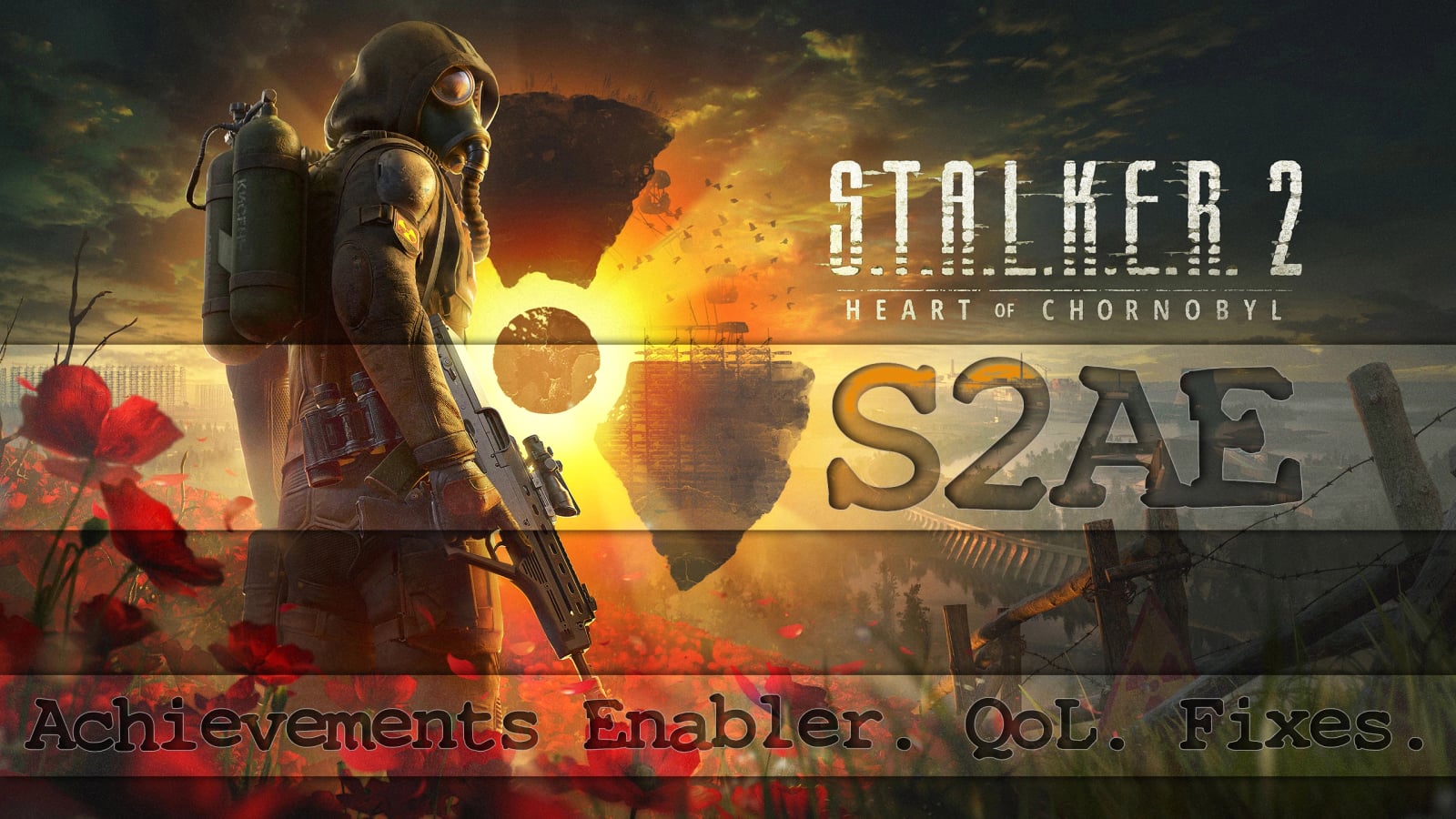
S2AE – Achievements Enabler. QoL. Fixes. v2.3.0p3
S2AE bypasses the achievement block for regular ~Mods and Workshop/mod.io content while keeping the game’s own progress and storefront synchronization. Optional overlay, QoL features and fixes are disabled by default.
With the default configuration, only achievement-enabling functionality is active. Optional modules remain inert unless enabled, and the separate “Achievement Enabler Only Edition” excludes dormant optional code at compile time while behaving exactly like standard S2AE with default settings.
Features
- Enables achievements with regular ~Mods and Workshop/mod.io content.
- Includes a current-save Collectibles tracker, optional save recovery, inventory sorting and shortcuts, adjustable carry weight and day length, movement and interface QoL, startup logo and warning skips, shader compilation controls, a native in-game console, and individual screen-effect intensity controls.
- Includes an experimental UI Editor for HUD elements and presets for layouts and S2AE settings.
- The optional in-game overlay is disabled by default.
- Every feature checks whether the game parts it needs are available. If an update changes something, the affected feature remains unavailable instead of using outdated data.
Specifications
- Supports game version 2.1.
- Version 2.2.3 fixes compatibility with various inventory mods.
- Supports Steam, GOG, and Xbox/Game Pass.
- Achievement progress is shown in English, Russian, Ukrainian, Simplified Chinese, Traditional Chinese, German, and Japanese.
- Custom item-stack limits range from 1 to 9999. A value of 0 keeps the game default.
- Day length uses real-time hours. At 1, one real minute advances time by 24 game minutes; 24 gives a real-time clock.
- Screen-effect intensity ranges from 0% to 100%, where 100% is the game’s normal value and 0% hides the effect.
- Overlay font scale ranges from 75% to 150%.
- Overlay background opacity ranges from 20% to 100%.
- Overlay animation speed ranges from 25% to 200%.
- Notification duration ranges from 1.0 to 10.0 seconds.
- Supports seven overlay languages.
Installation
- Extract
winmm.dllandS2AE.cfgfrom the archive. - If another mod already uses
winmm.dll, rename the S2AE DLL toversion.dll,winhttp.dll,dwmapi.dll,wininet.dll, oruiautomationcore.dll. Xbox/Game Pass also supportsdbghelp.dll. Install only one S2AE DLL. - Existing users may keep their current
S2AE.cfgor merge the new options instead of overwriting customized settings. - Steam/GOG: place both files in
Stalker2\Binaries\Win64, next to the shipping executable. - Xbox/Game Pass: place both files in
Content\Stalker2\Binaries\WinGDK. - If Windows shows an Unblock checkbox in the DLL properties, enable it and apply the change.
- Launch the game. A successful startup creates
S2AE.logbeside the DLL.
Linux / Steam Proton
These steps were clarified by Linux users, but the author currently has no suitable Linux setup to verify them personally.
- Place both
winmm.dllandS2AE.cfgin the actual game directory inside your Steam library, not inside the Wine prefix:
<SteamLibrary>/steamapps/common/S.T.A.L.K.E.R. 2 Heart of Chornobyl/Stalker2/Binaries/Win64/
- Open the game’s Steam Properties and add this under General -> Launch Options:
WINEDLLOVERRIDES="winmm=n,b" %command%
If you renamed the DLL, replace winmm with the chosen name without .dll. If you already use other launch options, keep a single %command% and place the environment variables before it.
- Launch the game and check for
S2AE.lognext to the DLL. Its presence confirms that Proton loaded S2AE.
For Lutris, add WINEDLLOVERRIDES as an environment variable with the value winmm=n,b. The DLL does not require chmod +x; Wine loads it as a Windows library rather than a native Linux executable.
In-game overlay
The overlay is disabled by default. Enable it for the menu, UI Editor, or on-screen notifications. Achievements, save recovery, and almost all gameplay or QoL options can still be configured directly in S2AE.cfg without loading the renderer.
To activate the overlay manually, open S2AE.cfg, use the following values, and restart the game:
enableOverlayRenderer=true
enableDeveloperMenu=true
enableNotifications=true
Boolean options accept true or false, and inline comments are supported. After enabling the renderer, press F9 to open the menu. Supported changes are applied at runtime and saved to the same config.
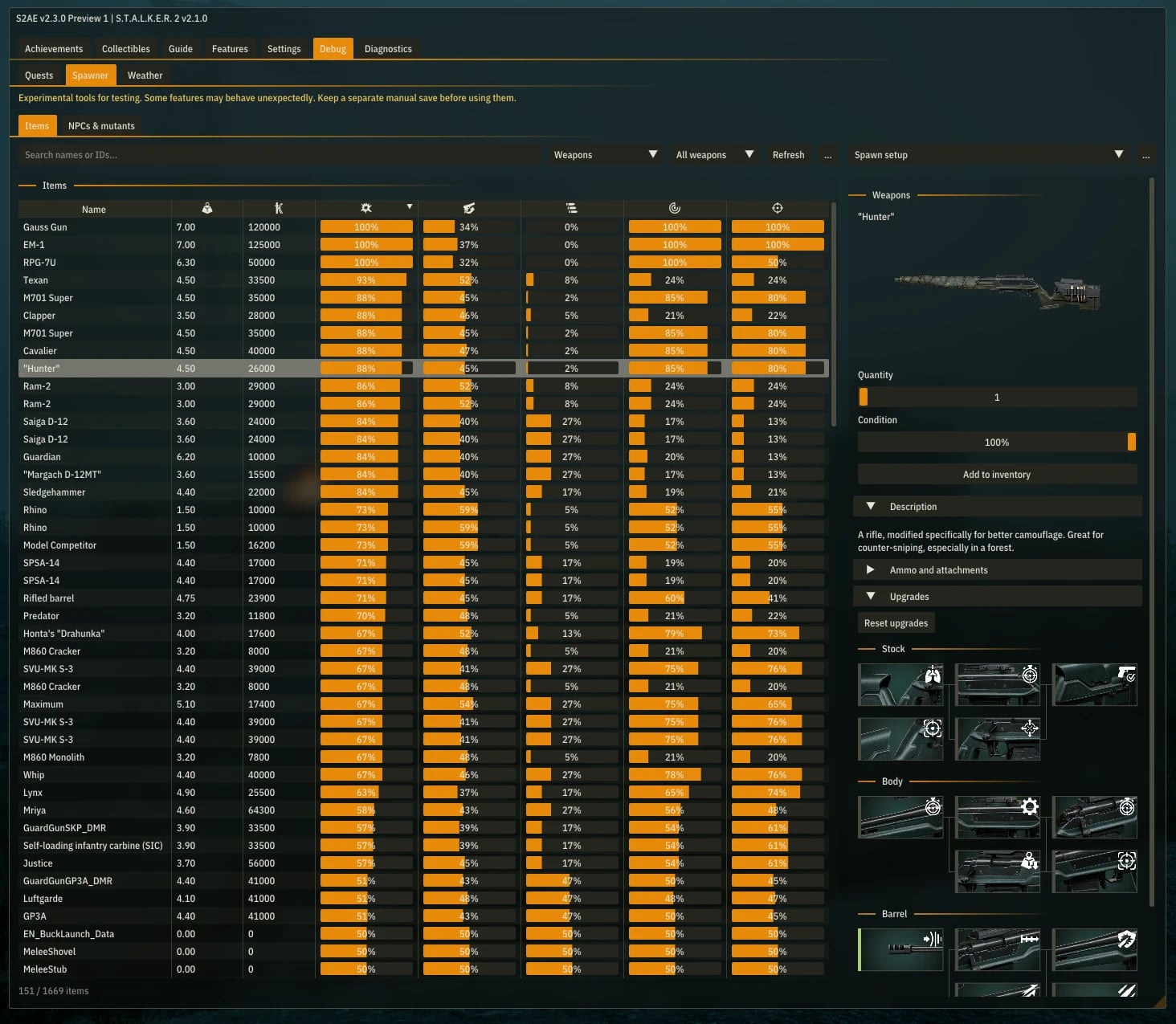
The menu has six tabs: Achievements, Collectibles, Features, UI Editor, Settings, and Diagnostics. Hover a feature’s status to see why it is waiting or unavailable. Settings control text size, background opacity, corner rounding, animation speed, and where the window can be grabbed.
While the overlay is open, mouse look is blocked everywhere, but clicks outside its window still work in game menus. Normal keyboard movement remains available unless you are typing a value or assigning a new hotkey.
UI Editor and presets
UI Editor lets you move, resize, hide, and change the opacity of interface elements. Select an element from the tree or use Pick on screen. Expanding a panel gives access to its bars, icons, labels, and crosshair lines. Show bounds displays boundaries; drag the triangles around a selection to resize it. Snap to grid helps with alignment.
Save the result as a layout preset. Radial menu and PDA elements can be edited while those screens are open, and their saved changes follow them when reopened. Apply layout automatically reapplies the layout after death or loading a save. This has its own switch while the editor is being tested and can be disabled if loading causes trouble. The editor is experimental, and some elements are controlled by the game and cannot be freely edited.
Settings presets are available in Settings, separately from layout presets. They save and load sets of S2AE options. Features that require a restart still require one.
Menu changes are kept as working settings, so replacing the CFG with the stock copy during an update does not normally lose the setup. Back up your config and presets when updating.
Both kinds of presets are stored in S2AEPresets beside the DLL. Keep that folder when updating or copy it along with the mod when moving the setup.
Achievements
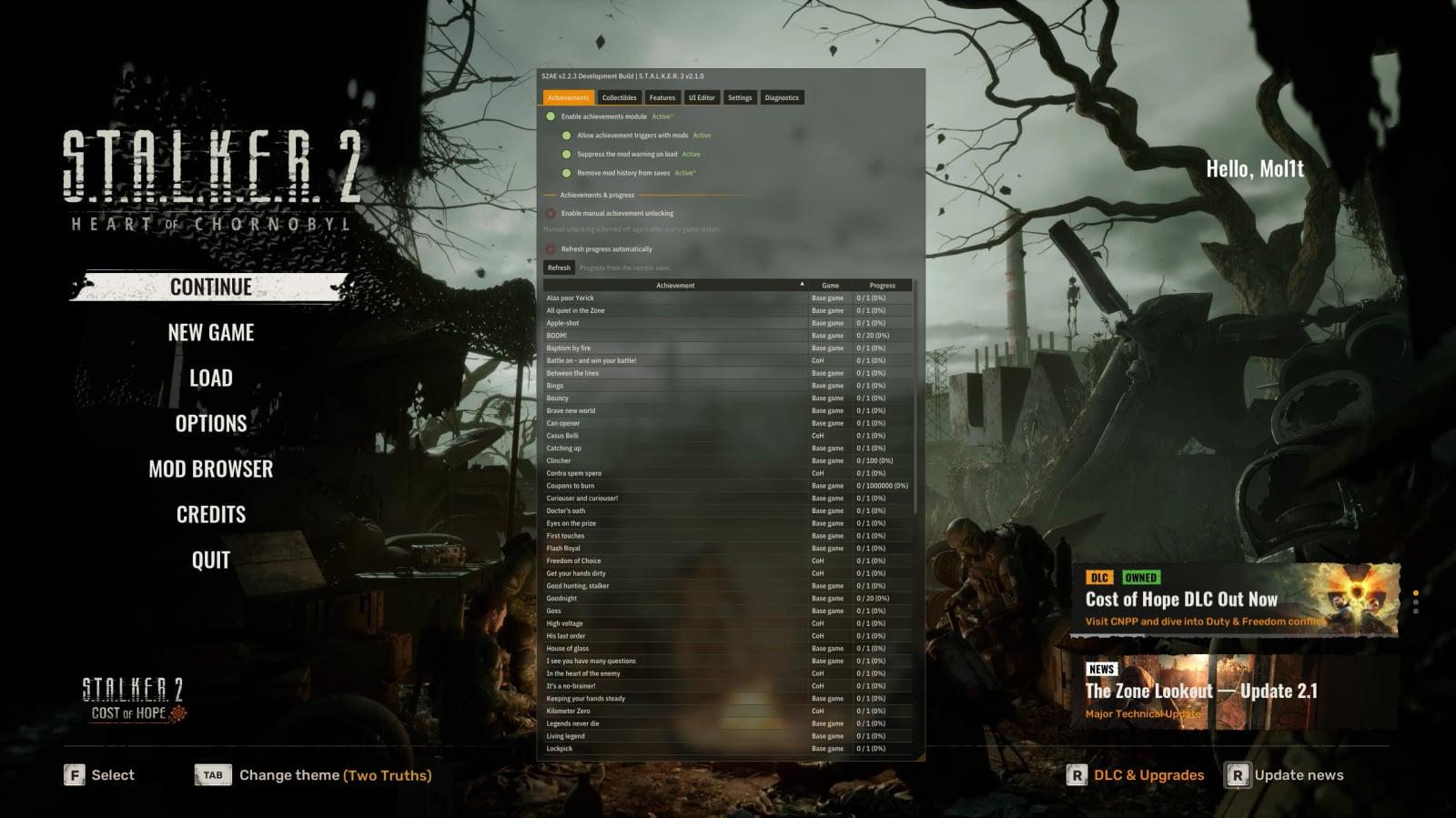
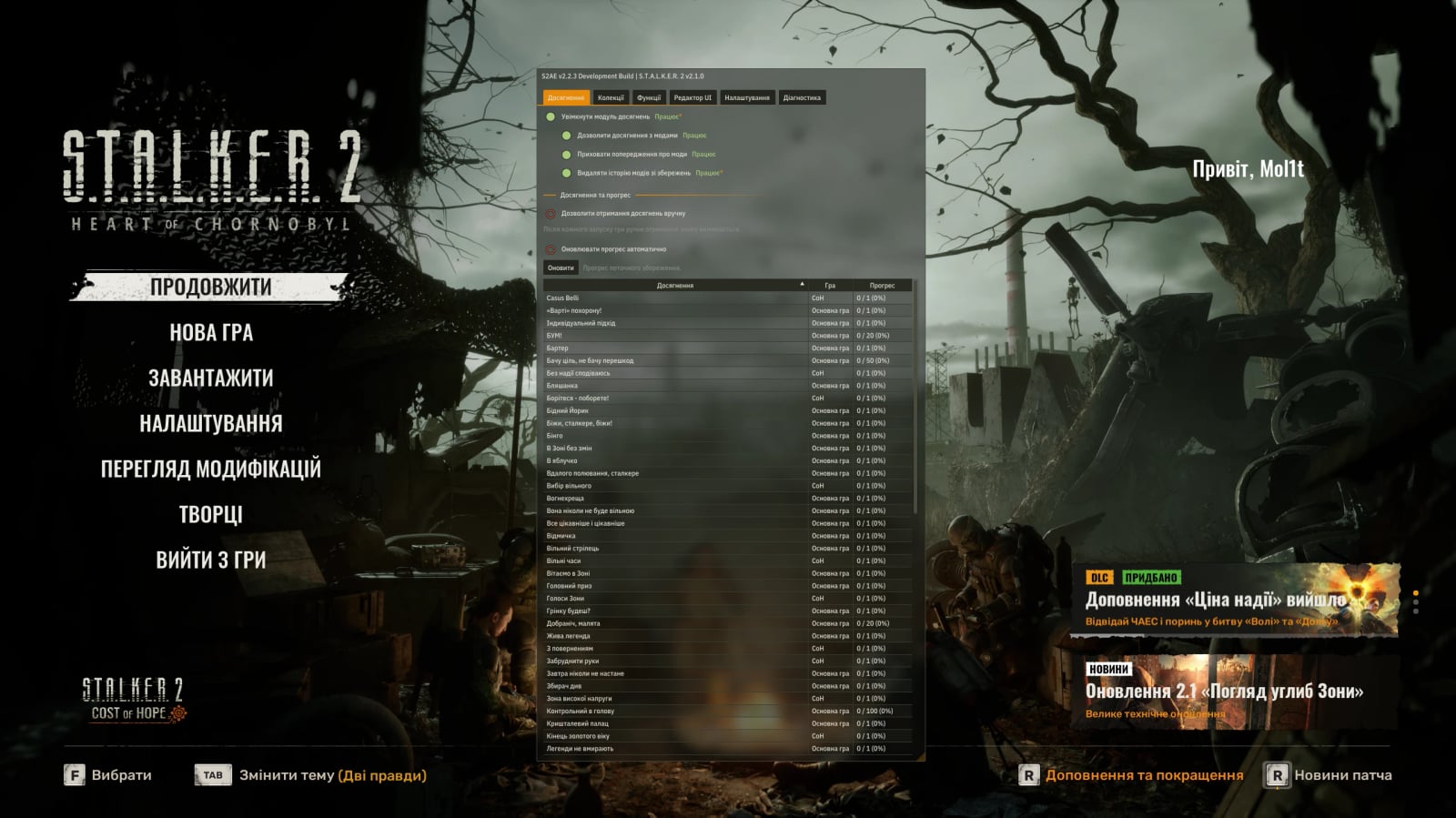
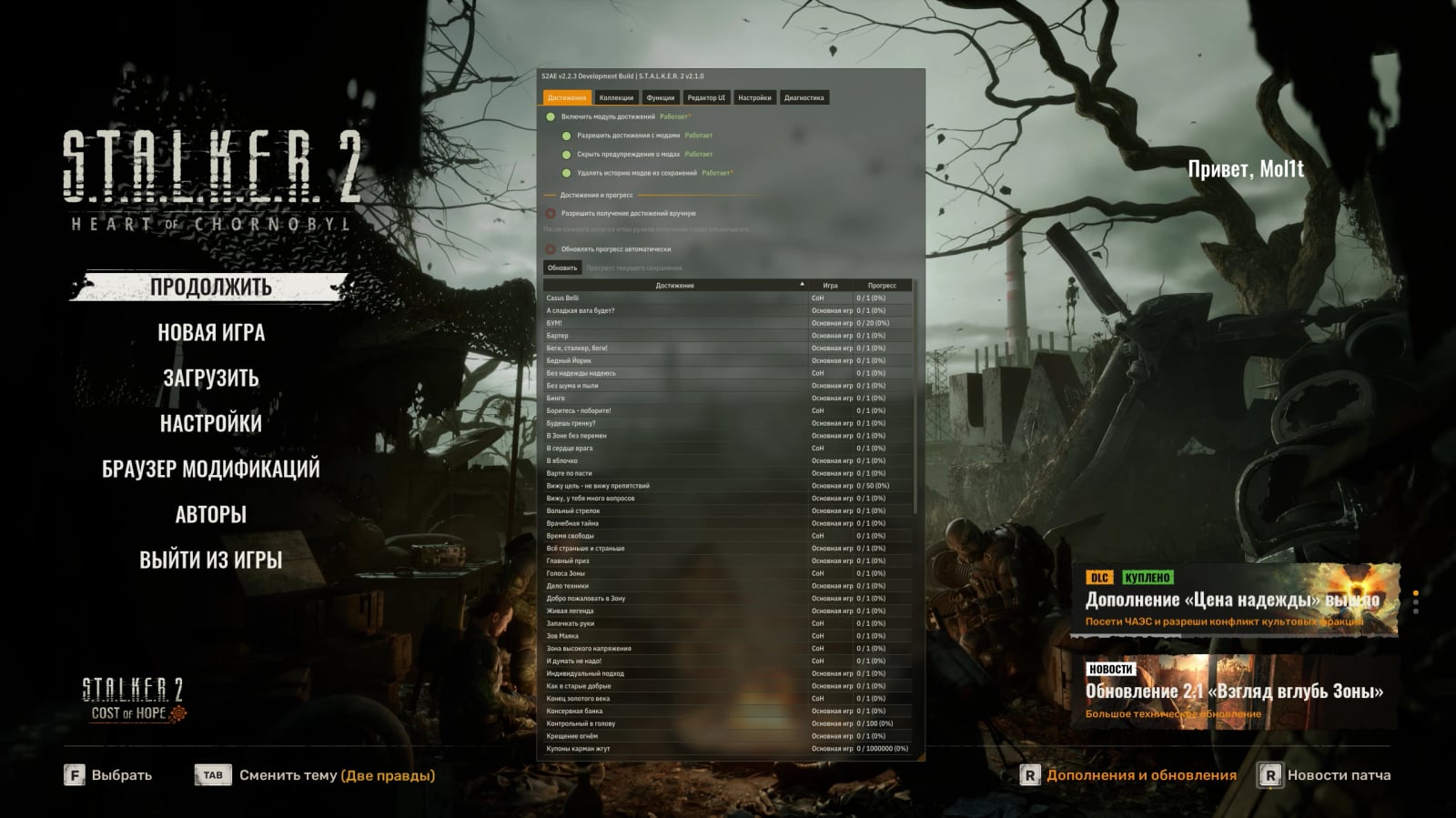
Achievements List & Progress reads achievement state from the loaded save for the current player profile, not storefront account history. It shows all base-game and Cost of Hope achievements in English, Russian, Ukrainian, Simplified Chinese, Traditional Chinese, German, and Japanese. Optional auto-refresh keeps the list current while the menu is open. Manual unlocking remains hidden by default and should only be used when an achievement was legitimately completed but its normal trigger can no longer be reproduced.
enableAchievements=true
Master switch for the achievements module. Disable it only for troubleshooting or game builds where achievements are unavailable.
allowAchievementsWithMods=true
Allows the game’s own achievement system to keep progressing and triggering achievements while mods are installed.
suppressModWarning=true
Suppresses the load-time warning that achievements are unavailable because mods are installed.
cleanSaveModMetadata=true
Removes mod history and the MOD+ label when creating or overwriting a save. This is not required for achievements. Disable it and restart the game if you prefer to keep that information.
autoRefreshAchievementProgress=false
Refreshes the current save’s achievement progress about once a second while the Achievements tab is open.
Collectibles
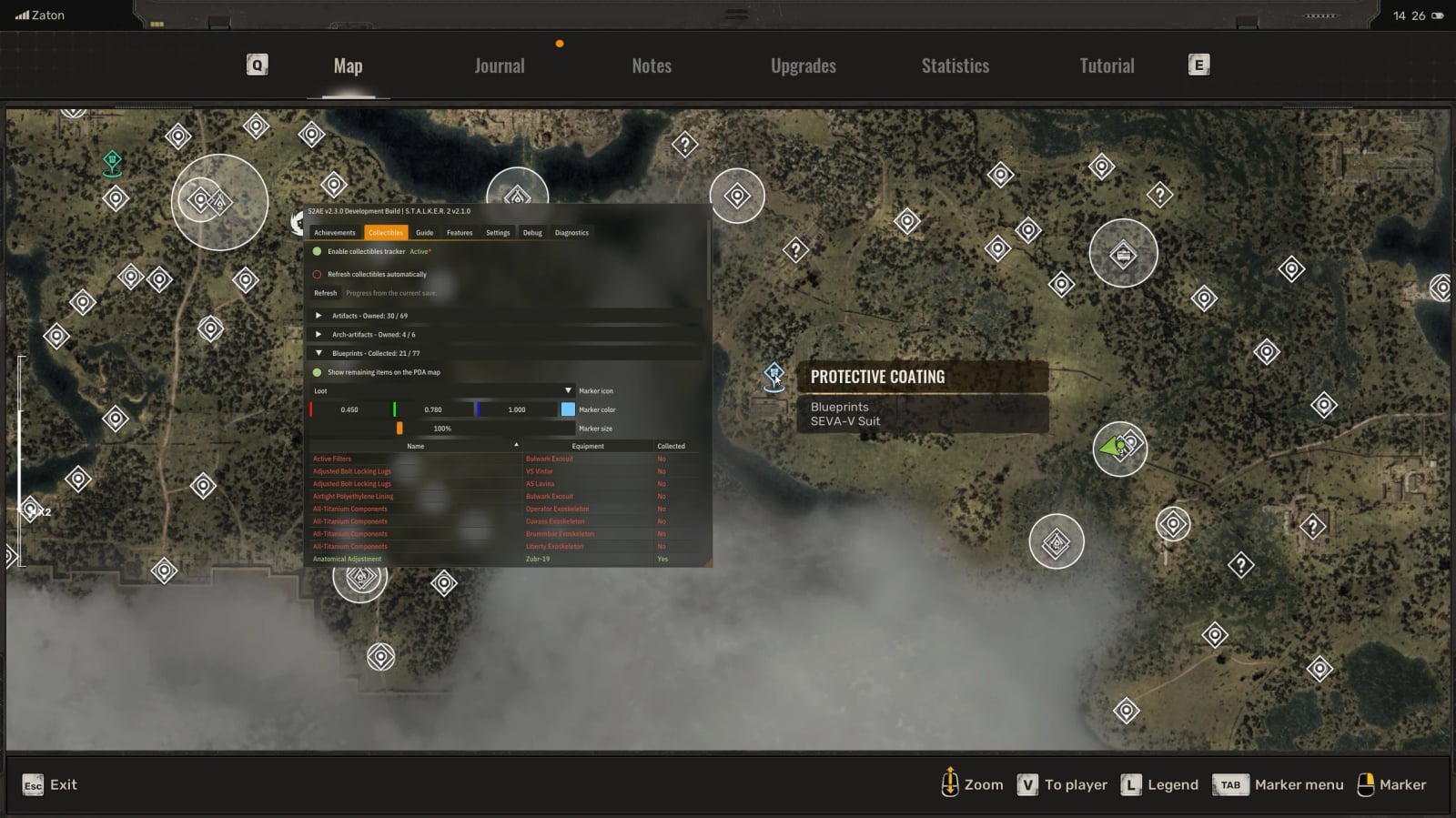
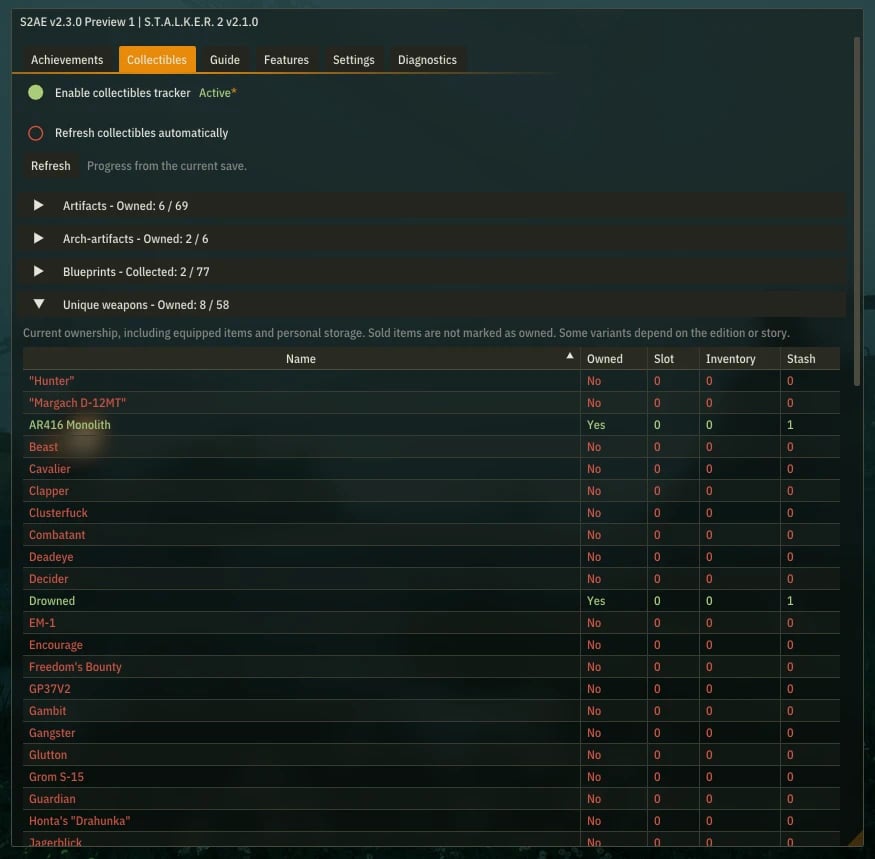
The Collectibles page reads artifacts, arch-artifacts, and upgrade blueprints from the current save. It shows found and missing entries with localized names, identifies the equipment for each blueprint, and separately counts artifacts in equipped slots, the backpack, and personal storage.
enableCollectibles=true
Enables the independent read-only tracker. Changing this option requires a restart.
autoRefreshCollectibles=false
Refreshes the current save’s collectible progress about once a second while the Collectibles tab is open.
Fixes
uiInputRecovery=false
Restores player controls if they remain blocked after closing a menu.
stuckNotificationsFix=false
Clears supported notification widgets that remain stuck on screen after their normal lifetime.
fixNicknameGreetingSpacing=false
Adds the missing space between the greeting and player name on Xbox/Game Pass. Requires a restart.
recoverCorruptedSaves=false
Disabled by default. Provides fallback recovery for saves with malformed or truncated data in the ModHistory block. Game patch 2.0.5 quietly fixed the known loading crash without mentioning it in the published changelog, so this option is now disabled by default. Enable it only if an affected save still fails to load. The issue was also seen in clean games, so the block name does not mean mods were necessarily responsible. This is a fallback for one known corruption case, not a universal save-repair tool.
Keep a backup of important saves. After a successful recovery, load the save and create a new manual save instead of overwriting your only copy.
fixBrokenTime=false
Disabled by default and still experimental on game 2.1. Repairs some saves where the game-time counter has overflowed. It does not fix every frozen-time bug. Enable it before loading an affected save, keep a backup, and save the repaired game to a new slot.
fixDangerousTrackAudioLoop=false
Stops the bugged looping anomaly sound associated with Dangerous Track and repairs its stale audio stage. It also covers the Duty story route, where this quest can be skipped but the same audio bug still occurs. Only the specific broken quest-audio state is repaired. After S2AE reports a repair, create a new save and reload it to persist the corrected state.
Game startup
These options are under Features -> Game startup, not in S2AE’s overlay Settings. All startup switches are disabled by default and require a game restart.
skipStartupIntro=false skips the opening logo sequence while preserving normal game initialization and shader preparation.
skipStartupPressToContinue=false continues to the main menu once loading is finished.
autoLoadLastSave=false goes straight from the main menu to the last save. Hold the selected modifier during startup to stay in the menu; defaults are Shift and RT.
autoContinueAfterAuthenticationFailure=false automatically selects Continue in the Authentication failed warning, including the variant that warns about disabling installed mods. It does not sign in, restore network access, or prevent the game’s built-in mods from being disabled.
autoContinueAfterModsUnavailable=false separately selects Continue in the Mods unavailable warning caused by privacy restrictions. It does not change privacy settings or re-enable blocked mods.
skipStartupShaderWarmup=false skips the automatic shader-warmup screen. Full shader compilation can still be launched with Compile shaders now from the Game startup page while the game’s main menu is open, or from a localized main-menu button when the overlay renderer is disabled. The manual action does not require a restart.
HUD and interface
forceBorderlessHDR=false makes the game’s HDR controls available in borderless fullscreen on an HDR-capable display. Enable HDR in the game’s Display settings and apply the change.
showVitalsInRadialMenu=false shows health and active debuffs in the radial menu when HUD vitals are disabled.
disableWatermarks=false removes constantly moving watermarks that cover the entire screen in beta builds. It only applies to beta builds and has no effect on regular release versions.
disableHoldBreathHint=false hides the recurring hold-breath hint without disabling the action.
disableDropBodyHint=false hides the drop-body prompt while carrying a body.
disableWeaponStanceHint=false hides the recurring weapon-stance hint without disabling the action.
disableQuickSlotFlashing=false stops quick-slot item suggestions from flashing repeatedly.
disableDialogueZoom=false keeps the current field of view when a static dialogue starts.
disableAimingZoom=false disables extra base camera zoom in ordinary and canted aiming. Attachment zoom and magnified scopes keep their native behavior.
Inventory
disableInventoryBlur=false removes blur from inventory and trade windows. Enable disableInventoryDimming as well to remove the darkened background.
customizeInventoryTooltipDelay=false uses inventoryTooltipDelay for item descriptions and comparison cards. A value of 0.0 hides them.
improvedInventorySorting=false adds configurable rules to the game’s Sort button: larger items first, quest items first or last, and the original, equipment-first, supplies-first, or custom category order. The custom order can be rearranged by dragging categories in the overlay. Equal items keep the game’s own sorting rules. Works alongside StrangerBro’s Inventory Filter Tabs and Inventory Favorites and Junk, including their filters and protected item groups.
customizeItemStacks=false sets separate stack limits for ammo, consumables, grenades, artifacts, attachments, other items, mutant loot, and informational items. A limit of 0 keeps the game default; custom limits range from 1 to 9999. Requires a restart, and changing a limit does not split existing stacks.
autoCloseLootAfterTakeAll=false closes supported corpse, stash, and loot windows after Take All empties the source. The window stays open if an item could not be transferred.
quickStackTransfer=false moves a whole stack between your backpack and a corpse or stash, or into and out of trade baskets, when you hold Shift and left-click. Trades still need the usual confirmation. Locked and quest items keep their transfer restrictions. It can be used alongside Inventory Shift Transfer.
sellBrokenWeapons=false lets traders buy red-condition weapons.
takeAllExceptBrokenWeapons=false leaves red-condition weapons behind when you hold the configured modifier and use Take All. Defaults are Shift on keyboard and RT on gamepad.
unloadAllLootWeapons=false unloads every loaded weapon in a corpse or stash when you hold the configured modifier and use the game’s normal Unload action. In your own inventory, it unloads backpack weapons and leaves equipped weapons alone. Without the modifier, Unload works as usual.
lootWeaponUnloadKeyboardModifier=shift
Selects ctrl, shift, or alt.
lootWeaponUnloadGamepadModifier=rightTrigger
Selects leftShoulder, rightShoulder, leftTrigger, or rightTrigger. The default is RT.
Movement, flashlight, carry weight and time
allowSquadGuidesOnMaster=false lets squad leaders guide you on Master difficulty. Enable the option in S2AE, then turn on squad guides in the game settings under Features -> Movement.
customizeWaterMovementSlowdown=false changes water movement slowdown through waterMovementSlowdownStrength. 100 keeps the game default and 0 removes the slowdown.
customizeFlashlight=false customizes brightness, range, cone angles, color, temperature, shadows, and volumetric scattering for the player’s main flashlight. NPC lights and the separate local fill light are untouched. Exact controls and safe ranges are documented in S2AE.cfg.
customizeCarryWeight=false adjusts all three carry-weight limits through carryWeightPenaltyFree, carryWeightCritical, and carryWeightMaximum. Artifact and equipment bonuses still apply. Limits and the overload icon update immediately and are reapplied after loading a save.
customizeDayLength=false uses dayLengthHours as the real-time duration of one complete game day. At 1, one real minute advances time by 24 game minutes; 24 gives a real-time clock. The correct date and time are kept when loading saves.
customizeSleepDuration=false uses configured whole hours and minutes for normal sleep, up to 24:00. The game’s own sleep restrictions, effects, and wake-up flow remain intact.
Save games
automateDeathScreen=false automatically loads the last save or opens the save list after death. Choose the action in the menu. skipDeathScreenFade separately skips the death screen’s fade-in.
saveOverrideOnMaster=false enables quick and manual saving on Master difficulty. Combat and other unsafe-state restrictions remain active, and created saves keep the correct Master difficulty label.
singleSaveOnMaster=false reuses one quick-save slot and one manual-save slot while the Master override is active.
disableExitSave=false disables only the dedicated save created by Exit Game. Manual, quick, auto, quest, and hub-exit saves remain unchanged.
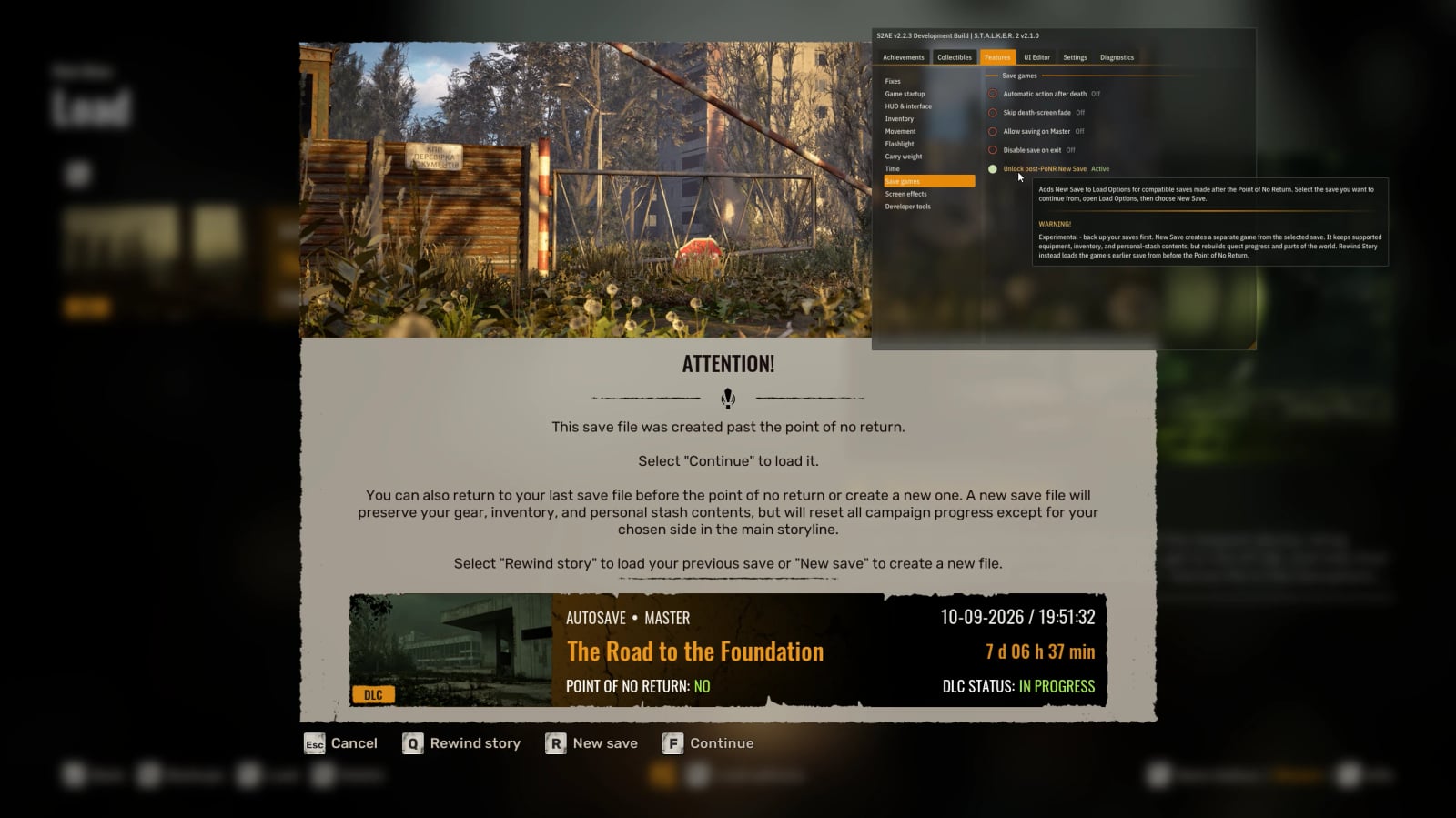
unlockPostPONRNewSave=false adds New Save to Load Options for compatible saves made after the Point of No Return. Select the save, open Load Options, then choose New Save.
Experimental, back up your saves first. This creates a separate game from the selected save, carrying over supported equipment, inventory, and personal-stash contents while rebuilding quest progress and parts of the world. It is not the same as Rewind Story, which loads an earlier save from before the Point of No Return.
Screen effects
Each supported screen effect has its own intensity slider. 100% is the game’s normal value and 0% hides the effect. Leave its switch off to use the game default.
- Radiation color and white noise, low health, bleeding, and directional blood splatters.
- Chemical, burn, steam, and electric damage, suppression, concussion, flashbangs, explosion splatters, and falling.
- Drunkenness, sleepiness, and regular psy exposure.
- Crouching, aiming depth of field, medkits/anti-rads, and energy drinks.
- The Whirligig anomaly and scripted quest-radiation effect.
All exact config keys are documented directly in S2AE.cfg.
Developer tools
enableNativeConsole=false enables the game’s native developer console, normally opened with ~. If another mod already enabled a console, S2AE detects it and does not interfere.
Overlay settings
enableOverlayRenderer=false is the master switch for the S2AE renderer. It is disabled by default to avoid conflicts with third-party overlays or mods that do not chain DXGI/D3D12 hooks correctly. Set it to true and restart the game.
enableDeveloperMenu=true enables the configuration, current-save progress, and diagnostics interface, opened with F9 by default.
menuHotkey=F9 changes the menu toggle. Keyboard modifiers and XInput/Steam Input combinations are supported, for example Ctrl+F9 or GamepadView+GamepadMenu.
overlayLanguage=auto uses English, Russian, Ukrainian, Simplified Chinese, Traditional Chinese, German, or Japanese. Auto follows the game’s text language.
overlayFontScale=100 scales overlay text from 75% to 150%.
overlayBackgroundOpacity=80 adjusts background opacity from 20% to 100%.
overlayRounding=2 sets corner rounding. Zero gives square corners.
overlayAnimationSpeed=100 changes animation speed from 25% to 200%.
overlayDragFromBody=true allows moving the window by its title bar or an empty area of the panel.
featureNavigationMode=labels displays feature navigation as labels, icons, or both.
hideInactiveFeatureSettings=false hides nested settings while their feature is off. Saved values are kept.
enableNotifications=true shows selected S2AE events as small top-left notifications. File logging remains independent.
notificationDuration=3.0 sets notification lifetime from 1.0 to 10.0 seconds.
Compatibility
- Handles regular ~Mods and Workshop/mod.io content through the game’s built-in mod and achievement systems.
- Uses a DLL instead of replacing the game’s Blueprints, scripts, or PAKs. UE4SS is not required by S2AE.
- Inventory compatibility has been tested with StrangerBro’s Inventory Filter Tabs, Inventory Favorites and Junk, Inventory Shift Transfer, Inventory Dense Grid and Inventory Flicker Fix on Steam game 2.1.
- S2AE supports several proxy filenames. If one is already used by another mod, rename S2AE to another supported name instead of overwriting it.
- Optional systems initialize in stages. A failure in one feature does not prevent unrelated features from loading.
- After a game update, check S2AE.log. If S2AE cannot safely find what a feature needs, that feature stays unavailable.
- S2AE cannot make outdated Blueprint, PAK, script, or Workshop content compatible with a newer game build.
Troubleshooting
Before reporting that S2AE is broken, update or temporarily disable every other mod and test the game with S2AE alone. Game updates regularly break outdated Blueprint, PAK, script, and Workshop mods. A crash while S2AE is installed does not by itself mean S2AE caused it.
- Make sure the game, S2AE, and every other installed mod are intended for the current game patch.
- Verify that the chosen S2AE DLL is beside the correct shipping executable and that an older copy is not being loaded from another location.
- If S2AE.log is not created, the DLL was not loaded. Recheck the installation path, Windows file blocking or antivirus quarantine, the Proton override on Linux, and possible proxy conflicts.
- If the game has startup or rendering problems, set
enableOverlayRenderer=falsefirst. The achievements module, save recovery, and almost every other option work without the overlay. - Temporarily add .bak to the installed S2AE DLL name and reproduce the same steps. If the problem remains, S2AE is not active and cannot be its direct cause.
- Back up important saves before testing recovery options.
recoverCorruptedSavestargets one known save corruption case and is not a universal repair tool.
For a useful bug report, include your storefront, exact game and S2AE versions, complete S2AE.log, relevant S2AE.cfg settings, the full list of other mods and overlays, exact reproduction steps, what you expected, what actually happened, and the crash report or dump when available.
Uninstallation
Delete the installed S2AE DLL. You can also remove S2AE.cfg, S2AE.log, and the S2AE folder beside it if you no longer need your saved settings or layout presets. Keep a copy of that folder if you might want the presets later.
Українська
S2AE насамперед відновлює роботу досягнень під час гри з модами. За стандартної конфігурації активний лише функціонал, необхідний для роботи досягнень із модами, а оверлей, додаткові ігрові функції, QoL та необов’язкові виправлення вимкнені.
Повністю прибирає блокування досягнень для звичайних ~Mods і вмісту Workshop/mod.io, зберігаючи штатний прогрес гри та синхронізацію з ігровою платформою. Також містить перелік колекційних предметів поточного сейва, відновлення збережень, сортування інвентарю, налаштування переносимої ваги та тривалості доби, пропуск початкових логотипів і попереджень, керування компіляцією шейдерів, вбудовану консоль, регулятори екранних ефектів і редактор HUD.
S2AE підтримує версію гри 2.1. Версія 2.2.3 виправляє сумісність з багатьма інвентарними модами.
Встановлення
- Розпакуйте
winmm.dllтаS2AE.cfgз архіву. - Якщо інший мод уже використовує
winmm.dll, перейменуйте DLL S2AE наversion.dll,winhttp.dll,dwmapi.dll,wininet.dllабоuiautomationcore.dll. Для Xbox/Game Pass також доступнаdbghelp.dll. Встановлюйте лише одну DLL S2AE. - Steam/GOG: покладіть обидва файли до
Stalker2BinariesWin64поруч із виконуваним файлом гри. - Xbox/Game Pass: покладіть обидва файли до
ContentStalker2BinariesWinGDK. - Якщо у властивостях DLL є пункт Розблокувати, увімкніть його та застосуйте зміну.
- Запустіть гру. Успішний запуск створить S2AE.log поруч із DLL.
Linux / Steam Proton
Ці кроки уточнені користувачами Linux, але автор не має відповідного Linux-середовища для особистої перевірки.
- Покладіть
winmm.dllтаS2AE.cfgу справжній каталог гри всередині бібліотеки Steam, а не до префікса Wine:
<SteamLibrary>/steamapps/common/S.T.A.L.K.E.R. 2 Heart of Chornobyl/Stalker2/Binaries/Win64/
- У властивостях гри Steam додайте до Загальне -> Параметри запуску:
WINEDLLOVERRIDES="winmm=n,b" %command%
Якщо DLL перейменовано, замініть winmm на вибрану назву без .dll. Якщо вже є інші параметри запуску, залиште один %command%, а змінні середовища розмістіть перед ним.
- Запустіть гру та перевірте появу S2AE.log поруч із DLL.
Для Lutris додайте WINEDLLOVERRIDES як змінну середовища зі значенням winmm=n,b. Для DLL не потрібен chmod +x.
Внутрішньоігровий оверлей
Оверлей вимкнений за замовчуванням. Для ручної активації відкрийте S2AE.cfg, встановіть значення та перезапустіть гру:
enableOverlayRenderer=true
enableDeveloperMenu=true
enableNotifications=true
Після ввімкнення рендерера натисніть F9. У меню шість вкладок: «Досягнення», «Колекції», «Функції», «Редактор інтерфейсу», «Налаштування» й «Діагностика».
Функції та налаштування
enableAchievements=true – головний перемикач модуля досягнень.
allowAchievementsWithMods=true – дозволяє системі досягнень продовжувати прогрес зі встановленими модами.
suppressModWarning=true – прибирає попередження про недоступні через моди досягнення.
cleanSaveModMetadata=true – прибирає історію модів і позначку MOD+ під час створення або перезапису збереження.
autoRefreshAchievementProgress=false – приблизно раз на секунду оновлює прогрес досягнень поточного сейва.
enableCollectibles=true – вмикає незалежний інформаційний перелік. Зміна потребує перезапуску.
autoRefreshCollectibles=false – приблизно раз на секунду оновлює прогрес колекційних предметів.
uiInputRecovery=false – повертає керування, якщо воно залишилося заблокованим після закриття меню.
stuckNotificationsFix=false – прибирає підтримувані сповіщення, що залишилися на екрані.
fixNicknameGreetingSpacing=false – додає відсутній пробіл між привітанням та іменем гравця на Xbox/Game Pass. Потрібен перезапуск.
recoverCorruptedSaves=false – резервне відновлення сейвів із некоректними або обірваними даними у блоці ModHistory. Патч 2.0.5 тихо виправив відоме аварійне завершення, тому опція вимкнена за замовчуванням. Це засіб для одного відомого випадку, а не універсальний ремонт сейвів.
fixBrokenTime=false – експериментально виправляє деякі сейви з переповненим лічильником ігрового часу на версії гри 2.1.
fixDangerousTrackAudioLoop=false – зупиняє зациклений звук аномалії, пов’язаний із «Небезпечною колією», і виправляє завислу аудіостадію. Після повідомлення S2AE про виправлення створіть новий сейв і завантажте його.
skipStartupIntro=false, skipStartupPressToContinue=false, autoLoadLastSave=false, autoContinueAfterAuthenticationFailure=false, autoContinueAfterModsUnavailable=false та skipStartupShaderWarmup=false налаштовують запуск гри. Усі стартові перемикачі вимкнені за замовчуванням і потребують перезапуску.
forceBorderlessHDR=false, showVitalsInRadialMenu=false, disableWatermarks=false, disableHoldBreathHint=false, disableDropBodyHint=false, disableWeaponStanceHint=false, disableQuickSlotFlashing=false, disableDialogueZoom=false та disableAimingZoom=false налаштовують HUD та інтерфейс.
disableInventoryBlur=false, customizeInventoryTooltipDelay=false, improvedInventorySorting=false, customizeItemStacks=false, autoCloseLootAfterTakeAll=false, quickStackTransfer=false, sellBrokenWeapons=false, takeAllExceptBrokenWeapons=false та unloadAllLootWeapons=false налаштовують інвентар. customizeItemStacks підтримує значення від 1 до 9999, а 0 залишає ліміт гри.
lootWeaponUnloadKeyboardModifier=shift підтримує ctrl, shift або alt. lootWeaponUnloadGamepadModifier=rightTrigger підтримує leftShoulder, rightShoulder, leftTrigger або rightTrigger.
allowSquadGuidesOnMaster=false та customizeWaterMovementSlowdown=false налаштовують рух. 100 залишає стандартне сповільнення водою, а 0 його прибирає.
customizeFlashlight=false налаштовує основний промінь ліхтарика. Точні параметри описані в S2AE.cfg.
customizeCarryWeight=false налаштовує carryWeightPenaltyFree, carryWeightCritical і carryWeightMaximum.
customizeDayLength=false використовує dayLengthHours. За 1 одна реальна хвилина дорівнює 24 ігровим, а 24 дає годинник у реальному часі.
customizeSleepDuration=false використовує налаштовані години та хвилини для сну, максимум 24:00.
automateDeathScreen=false, saveOverrideOnMaster=false, singleSaveOnMaster=false, disableExitSave=false та unlockPostPONRNewSave=false налаштовують збереження. Експериментальне New Save після точки неповернення переносить підтримуване спорядження, інвентар і особисту схованку, але перебудовує прогрес завдань і частину світу.
Кожен екранний ефект має окремий повзунок. 100% є звичайним значенням гри, а 0% приховує ефект. Доступні ефекти радіації, низького здоров’я, кровотечі, хімічної, вогняної, парової та електричної шкоди, придушення, контузії, світлошумових гранат, вибухів, падіння, сп’яніння, сонливості, пси-впливу, присідання, глибини різкості, аптечок/антираду, енергетиків, аномалії «Карусель» і сюжетної радіації.
enableNativeConsole=false вмикає вбудовану консоль, яка зазвичай відкривається клавішею ~.
enableOverlayRenderer=false, enableDeveloperMenu=true, menuHotkey=F9, overlayLanguage=auto, overlayFontScale=100, overlayBackgroundOpacity=80, overlayRounding=2, overlayAnimationSpeed=100, overlayDragFromBody=true, featureNavigationMode=labels, hideInactiveFeatureSettings=false, enableNotifications=true та notificationDuration=3.0 налаштовують оверлей. Значення підтримують ті самі діапазони, що описані вище.
Сумісність
- Підтримує Steam, GOG та Xbox/Game Pass.
- Працює зі звичайними ~Mods та вмістом Workshop/mod.io через вбудовані системи модів і досягнень.
- Використовує DLL замість заміни блюпрінтів, скриптів чи PAK-файлів. UE4SS не потрібен.
- Сумісність інвентаря перевірена з Inventory Filter Tabs, Inventory Favorites and Junk, Inventory Shift Transfer, Inventory Dense Grid та Inventory Flicker Fix від StrangerBro на Steam-версії гри 2.1.
- Опціональні системи ініціалізуються поетапно, тому збій однієї функції не заважає іншим.
Вирішення проблем
Перш ніж повідомляти, що S2AE зламаний, оновіть або тимчасово вимкніть усі інші моди й перевірте гру лише з S2AE.
- Переконайтеся, що гра, S2AE та інші моди розраховані на поточний патч.
- Перевірте правильність шляху DLL та відсутність старішої копії в іншому каталозі.
- Якщо S2AE.log не створюється, DLL не завантажена. Перевірте шлях, блокування Windows або карантин антивірусу, перевизначення DLL у Proton і конфлікти проксі.
- За проблем із запуском або рендерингом встановіть
enableOverlayRenderer=false. - Додайте .bak до назви DLL і повторіть дії. Якщо проблема залишилася, S2AE неактивний.
- Зробіть резервну копію важливих сейвів перед перевіркою відновлення.
Для звіту про помилку вкажіть ігрову платформу, точні версії гри та S2AE, повний S2AE.log, відповідні параметри S2AE.cfg, список модів та оверлеїв, кроки відтворення, очікуваний і фактичний результат, а також звіт про аварійне завершення чи дамп, якщо вони є.
Видалення
Видаліть встановлену DLL S2AE. Якщо налаштування та пресети більше не потрібні, можна також прибрати S2AE.cfg, S2AE.log і папку S2AE поруч із DLL.